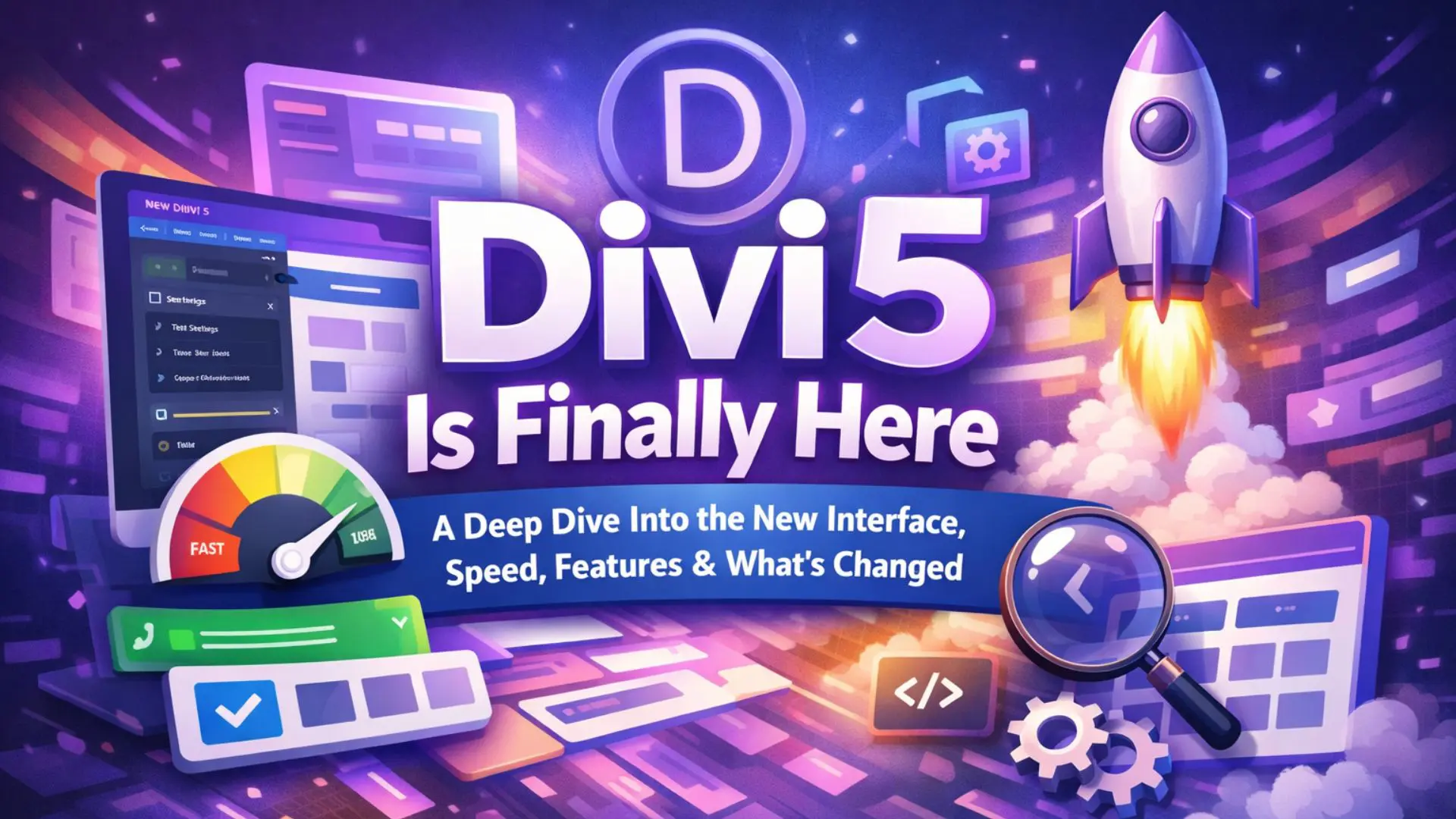
After years of development and community feedback, Divi 5 has officially launched. But this isn’t just another update to the popular Divi by Elegant Themes — it is a complete architectural transformation. If you’ve explored a Divi 5 demo, you’ll immediately notice how different and more refined the experience feels.
Divi 5 focuses on rebuilding performance from the ground up while introducing a true global design system. This means better speed, smarter workflows, and long-term scalability for designers, freelancers, and agencies. The improvements become especially clear when working inside a Divi 5 demo environment.
Let’s explore each major improvement in detail.
A Complete Core Rebuild — The Foundation Has Changed
Divi 5 has been rebuilt from scratch using a modern framework. Unlike Divi 4, which evolved by layering new features over older systems, Divi 5 replaces the old internal structure entirely.
This core rebuild is the most important update because everything else — speed, presets, global styles — depends on this improved foundation.
What This Core Rebuild Actually Means:
- Modern Framework Architecture
Divi 5 uses a cleaner internal system that processes layout changes more efficiently. Instead of relying heavily on backend rendering for every action, the builder handles operations in a more optimized way, which reduces delays when editing. - Reduced Technical Debt
Over time, Divi accumulated legacy code that made it harder to maintain and expand. Divi 5 removes much of this outdated structure, making the system lighter and easier to update in the future. - Improved Stability for Large Websites
In Divi 4, complex pages with many modules could slow down or freeze. Divi 5 handles heavy layouts more efficiently, which is especially useful for agencies building multi-page websites. - Future-Proof Scalability
Because the framework is modular, new features can be added without affecting the entire system. This ensures Divi continues evolving without becoming bloated again.
This rebuild is not just technical — it directly improves everyday workflow.
Massive Speed Improvements — You Can Feel the Difference
Performance has always been a major discussion point among Divi users. Divi 5 directly targets builder speed and responsiveness.
The improvement is noticeable from the first editing session.
Builder Speed Enhancements:
- Faster Module Settings Opening
When you click on a module (like a Text or Button module), the settings panel opens much faster. In previous versions, heavy pages caused delay. Now the interaction feels almost instant. - Smoother Drag-and-Drop Movement
Moving rows, sections, or modules across the page is significantly more fluid. This reduces frustration when reorganizing layouts. - Reduced Freezing on Complex Pages
Pages with 30+ modules previously caused lag. Divi 5 optimizes memory handling so the builder remains stable even with content-heavy layouts. - Improved Backend Resource Usage
The builder consumes fewer server resources, which means better performance even on shared hosting environments.
For professionals working daily inside the builder, these improvements save real time.
A Refined and More Structured Interface
Divi 5 keeps the familiar layout but refines usability. The goal wasn’t to redesign everything visually — it was to improve how smoothly the interface behaves.
The result is a cleaner and more professional editing experience.
Interface Improvements Explained:
- Better Organized Tabs (Content, Design, Advanced)
The separation between content editing and design customization is clearer. This makes navigating module settings more intuitive, especially for beginners. - Improved Hover Controls
Hovering over sections and modules now feels more responsive. The contextual tools appear faster and behave more consistently. - Cleaner Visual Hierarchy
Settings panels are less cluttered. Important options are easier to locate, reducing the time spent searching for adjustments. - Faster Panel Transitions
Switching between modules no longer causes noticeable delays, which improves workflow speed.
The builder now feels closer to a professional design application rather than a traditional WordPress tool.

Global Fonts — A True Typography Management System
Typography consistency is crucial for branding. Divi 5 introduces a powerful Global Font system that centralizes typography control.
Instead of adjusting font styles in every module, you define them once globally.
What Global Fonts Allow You To Do:
- Set a Global Body Font
You can define a default font for all body text across the website. Every text module using the global setting automatically inherits this style. - Control Each Heading Level (H1–H6) Separately
You can define typography for H1, H2, H3, and so on. This ensures consistent hierarchy across pages. - Update Typography Instantly Across the Entire Site
If you change the font family, weight, or spacing in the global settings, every connected element updates automatically. - Eliminate Inconsistencies
No more mismatched headings on different pages. Global Fonts maintain uniformity.
For example, if a client changes their brand font, you no longer need to manually edit dozens of modules. A single global adjustment updates the entire website.
This is a huge workflow improvement for agencies.
Global Colors — Centralized Brand Color Control
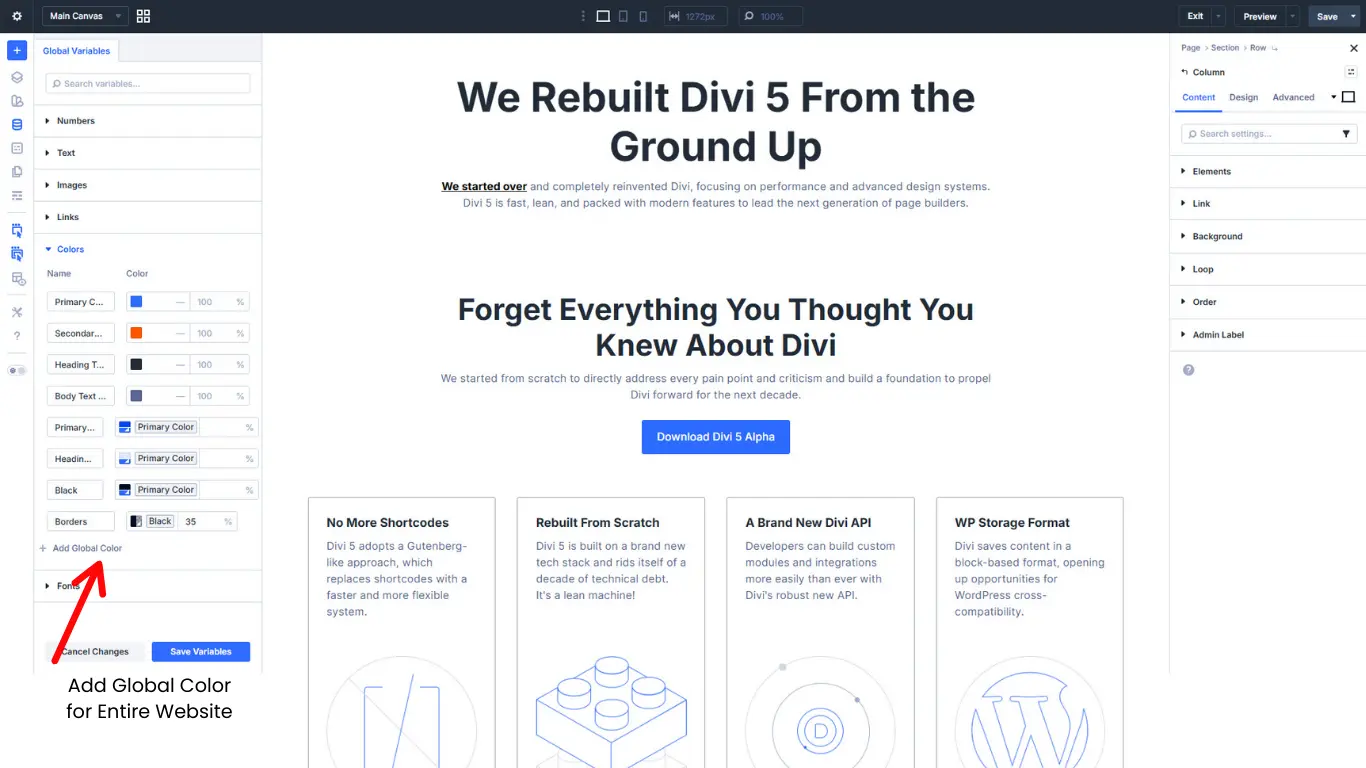
Divi 5 expands the Global Color system, making brand management more efficient.
You can define reusable color variables and apply them throughout your website.
Global Color Improvements Explained:
- Define Brand Color Palette Once
Set primary, secondary, and accent colors in one location. - Apply Colors Across Multiple Elements
Use global colors for text, buttons, backgrounds, borders, and icons. - Instant Site-Wide Color Updates
Changing a global color updates every linked element automatically. - Simplified Rebranding Process
If a company updates its brand color, you don’t need to manually edit every page.
This dramatically reduces maintenance time, especially for large websites.
Advanced Presets — Building a Real Design System
Presets are where Divi 5 truly shines. They allow you to create reusable styling configurations for modules.
This turns Divi into a scalable design system tool.
How Presets Work in Practice:
- Create a Custom Module Design Once
For example, design a “Primary CTA Button” with specific padding, border radius, font weight, and hover animation. - Save It as a Preset
This preset becomes reusable across the entire website. - Apply It Anywhere Instantly
Instead of styling each button manually, apply the preset in one click. - Update All Instances Globally
If you later adjust the padding or color in the preset, every connected button updates automatically.
This eliminates repetitive design work and ensures consistency.
For agencies building landing pages or marketing funnels, presets significantly reduce production time.
Improved Responsive Editing — Better Mobile Workflow
Mobile responsiveness is critical. Divi 5 improves device-specific editing behavior.
Responsive Improvements Explained:
- Faster Switching Between Devices
Switching from desktop to tablet or mobile view happens instantly. - Cleaner Device-Specific Controls
Applying mobile-only font size or spacing is easier and more intuitive. - More Accurate Real-Time Preview
Changes reflect immediately without delay.
This makes optimizing layouts for mobile smoother and more efficient.
Modular Architecture — Built for Long-Term Growth
Divi 5’s modular system separates features into independent components.
This is important for long-term scalability.
Why Modular Design Matters:
- Cleaner Future Updates
New features won’t disrupt the entire builder system. - Reduced Risk of Conflicts
Modular components reduce compatibility issues. - Better Troubleshooting
Developers can identify and fix issues more easily. - Prepared for Advanced Integrations
The new system opens the door for more advanced expansions in the future.
This ensures Divi remains competitive in the evolving WordPress ecosystem.
Divi 4 vs Divi 5 — What’s the Real Difference?
| Feature | Divi 4 | Divi 5 |
|---|---|---|
| Core Framework | Legacy layered | Fully rebuilt |
| Builder Speed | Moderate | Significantly faster |
| Global Fonts | Limited | Fully integrated |
| Global Colors | Basic | Advanced variable system |
| Presets | Basic styling | Scalable design system |
| Architecture | Heavy | Modular & future-ready |
FAQs
Why did Elegant Themes rebuild Divi instead of just updating Divi 4?
We currently accepting payments via STRIPE and PAYPAL.
1. What’s new in Divi 5?
Divi 5 introduces several major improvements:
- A fully rebuilt core framework
- Faster builder performance and smoother drag-and-drop
- Advanced Global Fonts and Global Colors system
- Improved Presets for scalable design systems
- Modular architecture for better long-term flexibility
The focus isn’t just on adding features — it’s on creating a faster, more structured, and future-ready website-building experience.
2. What is the price of Divi 5?
Divi 5 doesn’t have a separate price — it’s included with the Elegant Themes membership, which gives you access to the Divi theme, Divi Builder, and all future major versions (including Divi 5).
| Plan | Price | What You Get |
|---|---|---|
| Annual Membership | ~$89 per year | Full access to Divi (including Divi 5), Extra theme, Bloom & Monarch plugins, updates & support |
| Lifetime Access | ~$249 one-time | Lifetime access to Divi (including Divi 5) and all Elegant Themes products — no recurring fee |
3. How do I get started with Divi 5?
To get started with Divi 5:
- Make sure you have an active Elegant Themes membership.
- Download the latest Divi version from your Elegant Themes account.
- Install or update the Divi theme in your WordPress dashboard.
- Start building using the new builder interface and explore Global Fonts, Colors, and Presets.
For best results, test Divi 5 on a staging site first — especially if you’re upgrading from an existing Divi 4 website.
4. Is Divi 5 compatible with existing Divi 4 websites?
Yes, Divi 5 is designed to support existing Divi layouts. Most websites built with Divi 4 can transition smoothly without rebuilding from scratch. However, it’s recommended to test updates on a staging site first, especially for complex or heavily customized websites.
5. What is the difference between Divi 4 and Divi 5?
The biggest difference between Divi 4 and Divi 5 is the core architecture. Divi 4 was built on a layered legacy framework that evolved over time, while Divi 5 has been completely rebuilt from the ground up.
Divi 5 offers significantly improved performance, a modular system for better scalability, advanced global design tools (like enhanced Global Fonts and Global Colors), and a more stable builder experience. In simple terms, Divi 4 added features over time — Divi 5 rebuilds the foundation for the future.
Conclusion:
Divi 5 is more than just an update — it’s a complete rebuild focused on speed, flexibility, and modern design workflows. With powerful features like Global Fonts, Global Colors, Design Variables, and Presets, managing consistent branding across an entire website is now faster and easier than ever.
Combined with major performance improvements and a cleaner interface, Divi 5 sets a strong foundation for the future of WordPress website building.
Search blogs
Other Blogs
How to Fix Cumulative Layout Shift (CLS) in WordPress

Elementor Not Saving Changes? Step-by-Step Solution
How to Fix “There Has Been a Critical Error on This Website” in WordPress

How to Fix reCAPTCHA Not Working in WordPress