How CDN Services Improve Website Speed
Category: WordPress
Website speed plays a major role in user experience, SEO rankings, and online conversions. Visitors expect websites to load quickly, and even a few seconds of delay can lead to higher bounce rates and lost customers. One of the most effective ways to improve website performance is by using a Content Delivery Network (CDN).
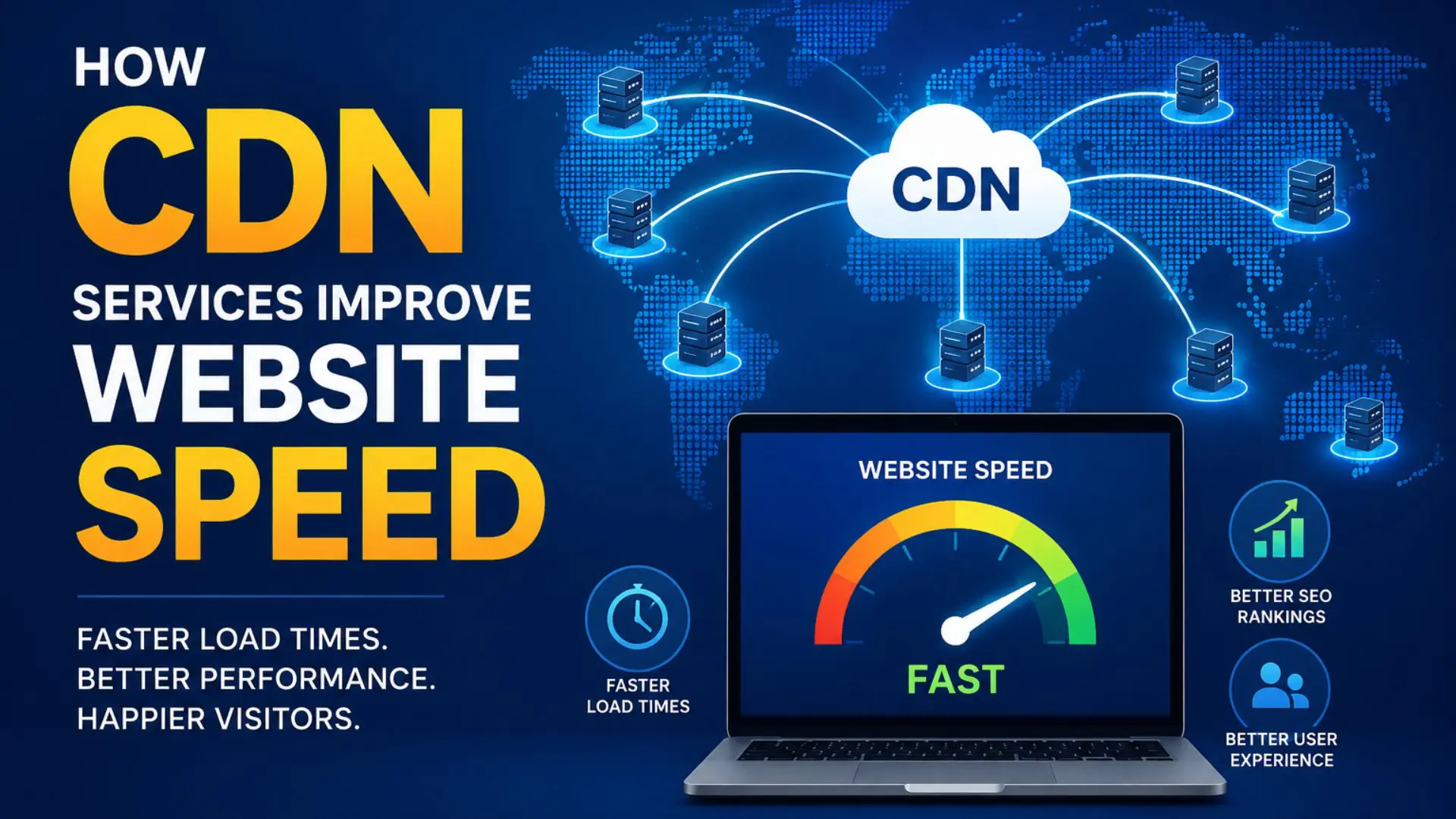
A CDN helps websites load faster by delivering content through a network of optimized servers located around the world. Whether you run a business website, an ecommerce store, or a WordPress blog, CDN services can significantly improve speed, stability, and security.
What Is a CDN?
A Content Delivery Network (CDN) is a system of distributed servers that store and deliver website content from locations closest to the user.Instead of loading all website files directly from your main hosting server, a CDN caches copies of:
- images
- CSS files
- JavaScript
- videos
- fonts
- downloadable files
When someone visits your website, the CDN delivers these assets from the nearest server location, reducing loading time.
For example, if your website server is located in the United States and a visitor accesses your website from India, a CDN can serve cached content from a nearby Asian server instead of requiring data to travel across the world.
How CDN Services Improve Website Speed
1. Reduces Server Response Time
Without a CDN, every visitor request goes directly to your hosting server. If the server is far away from the visitor’s location, loading times increase.A CDN shortens the physical distance between the user and the server delivering the content. This reduces latency and improves page speed.
Benefits include:
- faster page loading
- smoother browsing
- reduced delays for international users
2. Caches Static Website Content
CDNs store cached versions of static files such as:
- images
- stylesheets
- JavaScript
- logos
- videos
Because cached files are delivered instantly from nearby servers, your hosting server handles fewer requests.
This improves:
- website performance
- server efficiency
- loading consistency
3. Improves Global Website Performance
Businesses with visitors from different countries often experience slower loading times for distant users. A CDN distributes content across multiple global locations, helping users access the website quickly regardless of where they are located. This is especially important for:
- ecommerce websites
- international businesses
- blogs with global audiences
- online services
4. Reduces Bandwidth Usage
Since CDN servers handle much of the content delivery, your primary hosting server uses less bandwidth. This can:
- reduce hosting strain
- improve server stability
- help prevent slowdowns during traffic spikes
Some hosting providers also charge based on bandwidth usage, so a CDN may help reduce costs.
5. Handles High Traffic More Efficiently
Websites can slow down or crash during:
- marketing campaigns
- viral traffic spikes
- product launches
- seasonal promotions
A CDN distributes traffic across multiple servers instead of relying on a single hosting environment.
This improves:
- uptime
- stability
- scalability
6. Improves Core Web Vitals
Google uses Core Web Vitals as part of its ranking signals. A CDN can help improve:
- Largest Contentful Paint (LCP)
- First Contentful Paint (FCP)
- Time to First Byte (TTFB)
Faster websites generally perform better in search engine rankings and provide a better user experience.<
7. Optimizes Image Delivery
Large image files are one of the biggest causes of slow websites. Many CDN providers automatically:
- compress images
- convert images to modern formats
- resize images for devices
- deliver optimized versions
This significantly improves page speed on both desktop and mobile devices.
8. Improves Mobile Performance
Mobile users often browse on slower networks or weaker connections. CDNs help mobile performance by:
- reducing latency
- compressing assets
- speeding up image delivery
- optimizing content delivery
A faster mobile experience can improve engagement and conversions.
9. Provides Better Website Reliability
If the main server experiences issues, some CDN providers can continue serving cached content temporarily. This helps:
- reduce downtime
- maintain accessibility
- improve website reliability
10. Adds Security Benefits
Many CDN services also include security features such as:
- DDoS protection
- bot filtering
- firewall protection
- traffic monitoring
- SSL support
This improves both website safety and performance.
Popular CDN Services
Some widely used CDN providers include:
- Cloudflare
- Bunny.net
- Amazon CloudFront
- Fastly
- KeyCDN
- StackPath
Each provider offers different pricing, performance features, and security options.
CDN Benefits for WordPress Websites
WordPress websites often rely heavily on:
- plugins
- images
- scripts
- themes
A CDN helps reduce the performance impact of these assets. Benefits for WordPress users include:
- faster page loading
- improved SEO
- better caching
- reduced server load
- improved user experience
Many WordPress caching plugins integrate directly with CDN services.
Does Every Website Need a CDN?
Not every small website requires a CDN, but most modern business websites benefit from one. A CDN is especially useful if:
- your website receives international traffic
- pages load slowly
- you use many images/videos
- you experience traffic spikes
- you want better SEO performance
Conclusion:
Website speed affects everything from SEO rankings to user satisfaction and conversions. CDN services improve performance by delivering content faster, reducing server strain, optimizing assets, and improving reliability.
For businesses looking to create a faster, more stable, and more scalable website, implementing a CDN is one of the most effective optimization strategies available today.